Invisible Text Roblox: Can You Use a Blank Display Name?
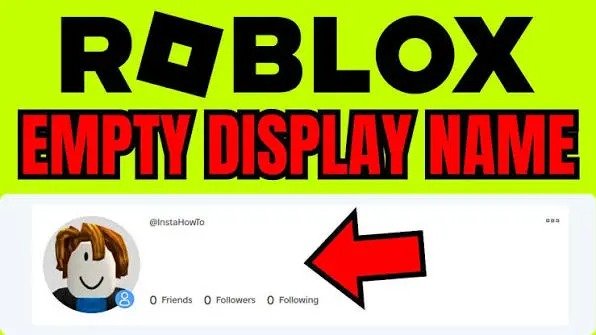
Have you seen a Roblox player whose display name looks completely empty?
At first, it looks like there is no name at all. But Invisible Text Roblox does not normally let you save an empty display name. In most cases, the trick involves an invisible Unicode character.
The character is there. You just cannot see it.
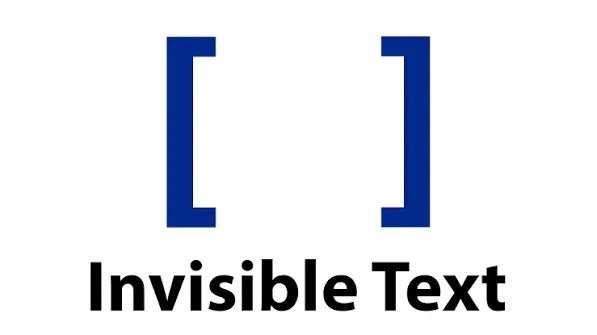
This is where invisible text comes in. Some Unicode characters have no obvious shape, so they can make a name look blank. But does this trick still work on Roblox?
Can You Make a Blank Display Name on Roblox?
You cannot simply erase your Roblox display name and leave the box empty. Roblox requires a value in the field.
Some players try an invisible character instead. It gives the system something to read while making the name appear empty on the screen.
Whether Roblox accepts it is another matter.
Roblox can block certain characters. It can also change its filters, so a character that worked months ago may not work now.
So, there is no single invisible character that you can rely on forever.
What Makes Invisible Text Look Empty?
Invisible text uses Unicode characters that do not have a normal visible appearance.
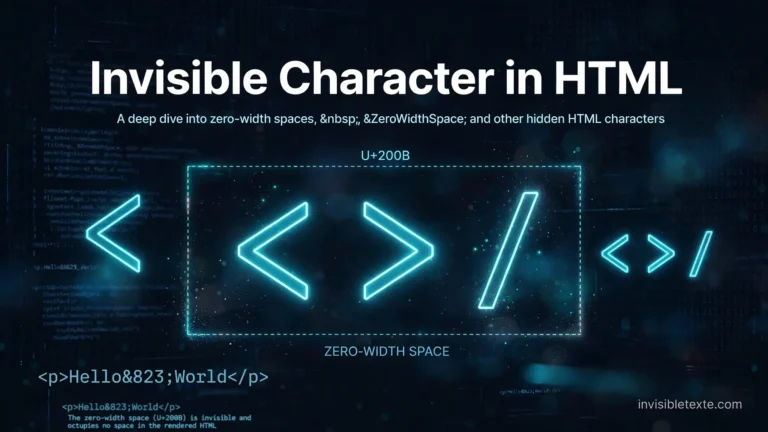
That sounds strange, but the idea is simple. Your keyboard normally gives you letters, numbers, and symbols that you can see. Unicode also contains characters that look blank or take up little to no visible space. Invisible Character in HTML
The Hangul Filler, for example, can look empty in some apps. The Braille Pattern Blank can do the same.
Your screen shows nothing useful to your eyes, but the computer still sees a character.
That small difference makes the trick possible.
Invisible Characters You Can Test
Not every invisible character behaves the same way. Here are a few commonly tested options.
Hangul Filler
Hangul Filler (U+3164) often appears blank. It has its own Unicode code point, so it is not the same thing as pressing the spacebar.
Some platforms accept it as text. Others block it.
Braille Pattern Blank
Braille Pattern Blank (U+2800) can also look like an empty space.
It still counts as a Unicode character, even when your screen does not show a visible mark.
Zero Width Space
Zero Width Space (U+200B) is different from the other examples. It does not take up normal visible width.
It can work in some text fields, but many platforms filter or remove it. Roblox may do the same.
How to Test an Invisible Display Name
You can test a character without giving any website access to your Roblox account.
Find an invisible text generator and copy the character you want to test.
Then open Roblox and go to your display-name settings. Paste the character into the field and try to save it.
If Roblox accepts it, visit your profile and check how the name appears.
Do not assume it worked just because the editing box looked empty. The final profile is what matters.
If Roblox gives you an error or removes the character, that particular character does not work there.
Why Roblox May Reject It
Roblox does not have to accept every Unicode character.
The platform can filter characters before it saves a display name. It may also update those filters without notice.
That creates a common problem with old Roblox tutorials. A method shown in an older video may no longer work.
The same character can also appear differently on different devices. Your browser might show an empty space while another device displays a symbol.
So, the result depends on both the character and the platform.
Is Invisible Text the Same as a Space?
No.
A normal space comes from your keyboard’s spacebar. An invisible Unicode character has its own code point.
They may look similar, but the system does not necessarily treat them in the same way.
This is why copying an invisible character can sometimes produce a different result from adding several normal spaces.
Roblox can still detect the character, though. Invisible does not mean undetectable.
Can You Keep the Blank Name Permanently?
There is no guarantee.
Roblox can change how it handles Unicode characters at any time. If the platform stops accepting a particular character, you may need to change your display name.
Your result can also vary between the Roblox app, browser, and other devices.
For that reason, be careful with websites claiming to have a “permanent” invisible Roblox name. No outside tool controls Roblox’s naming system.
Is It Safe to Use an Invisible Character?
The character itself is just text. You do not need to give your Roblox login details to copy one.
That is something worth remembering.
If a website asks for your Roblox password, cookie, verification code, or account access, do not provide it just to get an invisible character.
You can copy Unicode text without handing over your account.
Also, keep Roblox’s rules in mind. A blank-looking name does not give you permission to impersonate another player or bypass platform restrictions.
Why Does the Name Look Blank to Other Players?
The character still exists in the name.
Your device simply does not show a visible symbol for it. Roblox then displays the character according to its own text-rendering and filtering rules.
That creates the blank effect.
It is similar to hiding something in plain sight. The text has not disappeared. It just does not have an obvious shape on the screen.
What If Roblox Shows a Box or Symbol?
That can happen too.
If your font does not support a particular Unicode character, your device may show a small box or another replacement symbol.
Roblox may also process the character differently from the website where you copied it.
So, always check the name after saving it on Roblox. Do not judge the result only from the generator or copy page.
Does an Invisible Name Give You Any Special Features?
No.
An invisible-looking display name only changes the way your name appears. It does not hide your account, make you harder to report, or unlock extra Roblox features.
It also does not make your account anonymous.
If Roblox accepts the character, the name may simply look unusual to other players.
Final Answer
You cannot create a truly empty Roblox display name by deleting the text from the name field.
However, an invisible Unicode character may make the display name look blank if Roblox accepts that character.
Hangul Filler, Braille Pattern Blank, and Zero Width Space are examples people may test. Their results can vary, and Roblox can block them.
If you want to try invisible text on Roblox, copy a character from a trusted tool and test it directly in your profile. Never give your Roblox account details to a website just to get a blank-looking character.
The trick can be interesting, but Roblox has the final say on whether it works.
One Comment