
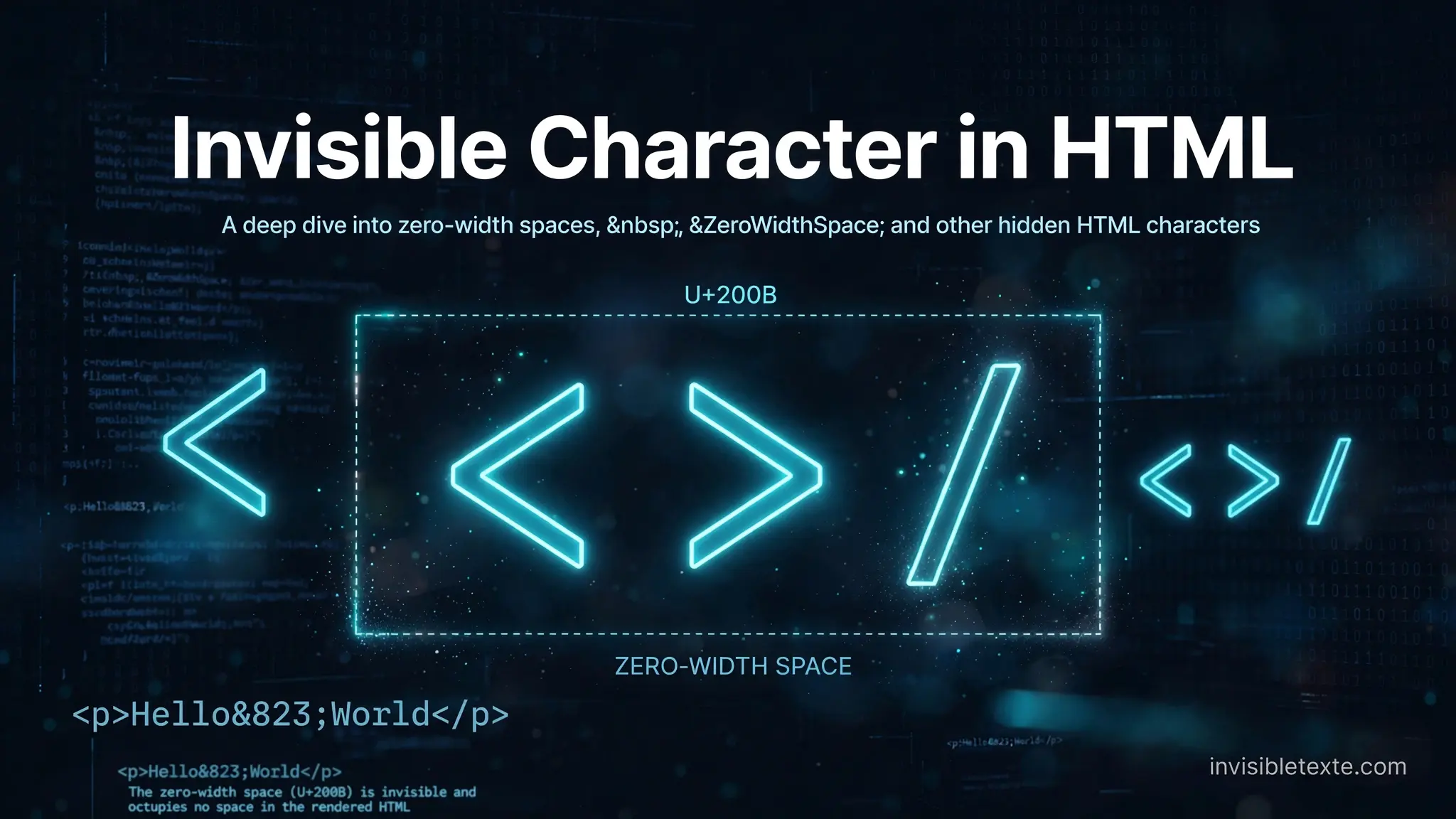
How Do You Insert an Invisible Character in HTML?
HTML lets you add different types of spaces and invisible characters to your text. Some create a visible gap, while others stay hidden.
You might need one when a normal space does not work, when you want to keep two words together, or when you need a Unicode character that does not show on the screen.
So, how do you insert an invisible character in HTML?
You can use an HTML entity, a Unicode character, or copy an invisible character directly into your code.
What Is an Invisible Character?
An invisible character is a character that you cannot normally see on the screen.
A good example is the Zero-Width Space (U+200B). It exists in the text, but it does not create a normal visible space. View Invisible Characters in Any Text
A No-Break Space (U+00A0) works differently. It creates space and also keeps the words around it together when the browser wraps text.
These characters may look similar when you view them, but they do different jobs.
How Do You Insert an Invisible Character in HTML?
The easiest way depends on the character you want to use.
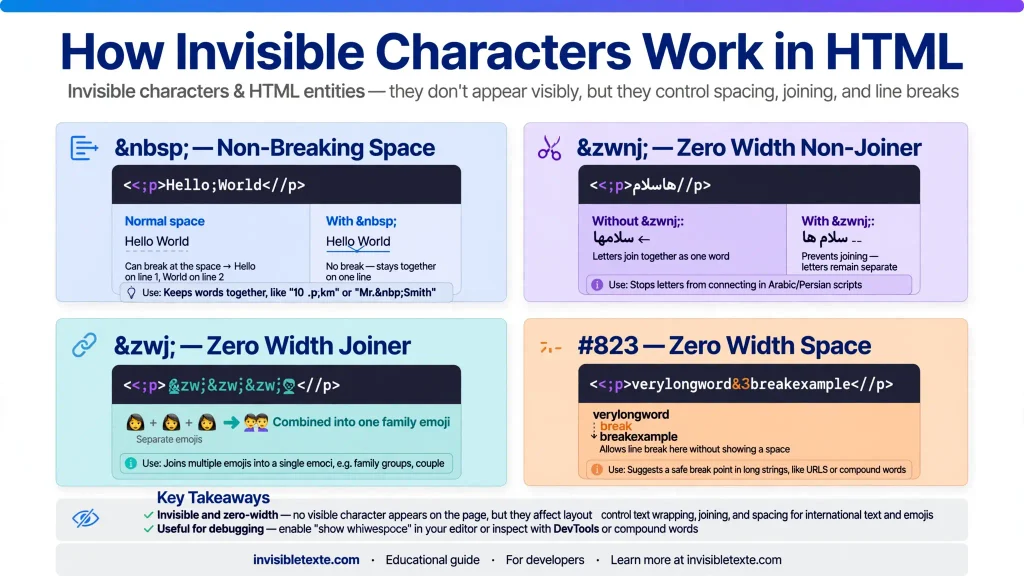
Use for a Non-Breaking Space
HTML has a built-in entity called .
For example:
<p>Hello World</p>
The browser shows a space between Hello and World.
You can also use more than one:
<p>Hello World</p>
This gives you extra spacing without using several regular spaces.
A non-breaking space also stops the browser from separating the two words onto different lines.
Use a Zero-Width Space
If you need a character that takes no visible width, you can use a Zero-Width Space.
Its Unicode value is U+200B.
In HTML, you can write it as:
<p>Hello​World</p>
The browser processes the character, but you will not see a normal space between the words.
The character can still matter to the text even though it looks empty.
Paste the Character Directly
You can also paste the actual invisible character into your HTML.
For example:
<p>HelloWorld</p>
There is a Zero-Width Space between the two words.
The problem is that you cannot easily see or check it later. If someone edits the code, they may not know that the invisible character is there.
For this reason, using an HTML entity such as ​ can make the code easier to understand.
How to Copy an Invisible Character
You do not have to search through Unicode tables to find an invisible character.
You can use an Invisible Text Generator to find and copy blank-looking Unicode characters.
Depending on what you need, you can find characters such as:
- Zero-Width Space
- Hangul Filler
- Braille Pattern Blank
- No-Break Space
- EM Space
Copy the character, then paste it into your HTML or another place where you need it.
Invisible Character vs. Normal Space
HTML treats normal spaces differently from invisible Unicode characters.
For example:
<p>Hello World</p>
You may expect five spaces to appear in the browser. HTML normally collapses those spaces into one.
You can use when you need to preserve additional spaces:
<p>Hello World</p>
A Zero-Width Space is different:
<p>Hello​World</p>
It does not create a visible gap.
So, choose the character based on what you want the browser to do.
Common Invisible Characters for HTML
Here are a few characters you may come across:
| Character | Unicode | What it does |
| No-Break Space | U+00A0 | Adds space and prevents a line break |
| Zero-Width Space | U+200B | Adds a hidden zero-width character |
| EM Space | U+2003 | Adds a wide space |
| Hangul Filler | U+3164 | Looks blank but is a Unicode character |
| Braille Pattern Blank | U+2800 | Looks like an empty character |
They are not interchangeable. Each one has its own behavior.
When Can You Use Invisible Characters?
Invisible characters can be useful in a few situations.
Spacing: Use a non-breaking space when you need controlled spacing.
Keeping text together: can keep words together when the browser moves text to a new line.
Unicode text: A Zero-Width Space can add a character without adding visible width.
Blank-looking text: Characters such as Hangul Filler and Braille Pattern Blank can create text that appears empty in some applications.
Keep in mind that different websites and apps may handle these characters differently.
Should You Use an Invisible Character or CSS?
If your goal is only to control the visual layout of a webpage, CSS is usually a better choice.
For example, you can control spacing with CSS instead of adding many invisible characters to your HTML.
Invisible characters make more sense when the character itself needs to exist in the text.
This distinction can save you from unexpected spacing and formatting problems later.
Why Are Invisible Characters Sometimes Difficult to Find?
The main problem is obvious: you cannot see them.
If an HTML page contains an invisible Unicode character, it may look like an ordinary space when you inspect the text.
This can make spelling, copying, and debugging harder.
If you suspect that a text contains hidden characters, use a Unicode or invisible-character viewer to check it.
Frequently Asked Questions
What is the HTML code for an invisible character?
There is no single code for every invisible character. For example, creates a non-breaking space, while ​ represents a Zero-Width Space.
How do I add an invisible space in HTML?
Use if you want a non-breaking space:
<p>Hello World</p>
If you need a zero-width character, use:
​
What is U+200B?
U+200B is the Unicode value for the Zero-Width Space. It does not create a normal visible gap.
Can I paste an invisible character into HTML?
Yes. You can copy an invisible Unicode character and paste it directly into your HTML. You can also use an HTML entity when one is available.
Can I create invisible text with HTML?
HTML can contain characters that look empty, but invisible characters are not the same as hiding normal text. If you want to hide an element visually, CSS is usually the better approach.
Final Thoughts
Adding an invisible character to HTML is simple once you know which character you need.
Use when you need a non-breaking space. Use ​ when you need a Zero-Width Space. For other blank-looking Unicode characters, you can copy them from an Invisible Text Generator.
Always test the character in the browser or platform where you plan to use it. Different systems can handle invisible Unicode characters in different ways.

One Comment